Delete Account
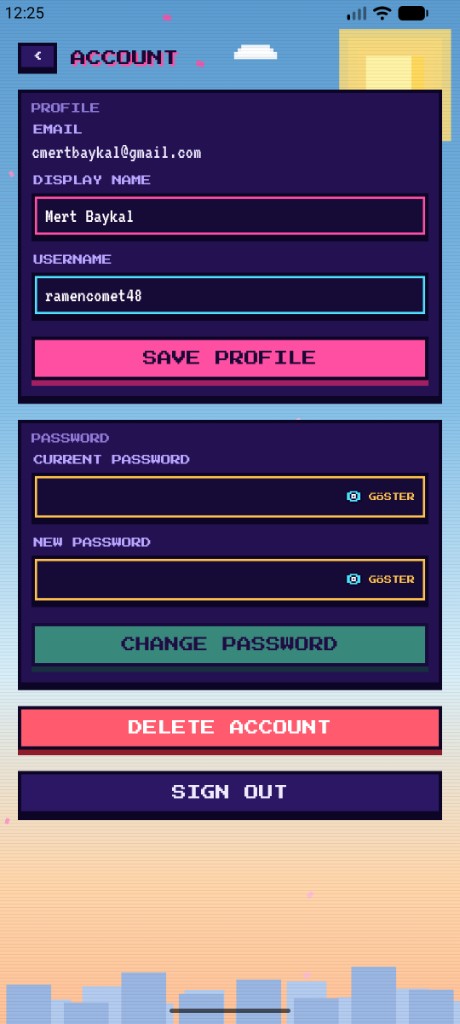
Last updated: 2026-07-21You can permanently delete your Otaku Trivia account from inside the Application. Account deletion cannot be undone. Your profile, coins, jeton, stats, and leaderboard rank are removed, and you are signed out.
Steps
- Open the app and go to Settings.
- Open Account.
- Tap the red Delete Account button at the bottom of the screen.
- Confirm deletion in the dialog that appears.
Help
If you cannot delete your account from inside the app, or need additional help, email support@baikoft.com.
For details about how we handle data, see the Privacy Policy.